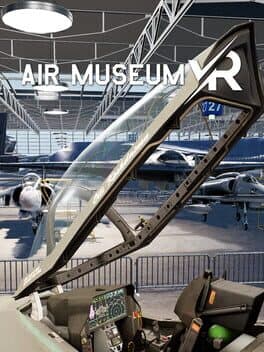
Air Museum VR
Can your GPU run this game?
Estimated FPS across quality settings and resolutions
Search for your GPU above to see a full FPS breakdown at every quality and resolution.
Air Museum VR FPS by GPU
Estimated framerates for 14 reference GPUs · pick a resolution and quality
Full benchmark grid · 14 GPUs × 4 qualities × 3 resolutions
1080p performance
| GPU | low | medium | high | ultra |
|---|---|---|---|---|
| RTX 5090 | 136 fps | 109 fps | 87 fps | 71 fps |
| RTX 4090 | 126 fps | 101 fps | 81 fps | 66 fps |
| RX 7900 XTX | 113 fps | 91 fps | 73 fps | 59 fps |
| RTX 5080 | 107 fps | 86 fps | 68 fps | 56 fps |
| RTX 4080 Super | 100 fps | 80 fps | 64 fps | 52 fps |
| RTX 4070 Ti | 79 fps | 63 fps | 51 fps | 41 fps |
| RTX 4070 | 68 fps | 54 fps | 44 fps | 35 fps |
| RX 7800 XT | 60 fps | 48 fps | 38 fps | 31 fps |
| RTX 3080 | 58 fps | 47 fps | 37 fps | 30 fps |
| RTX 4060 Ti | 55 fps | 44 fps | 35 fps | 29 fps |
| RTX 3070 | 50 fps | 40 fps | 32 fps | 26 fps |
| RTX 4060 | 45 fps | 36 fps | 29 fps | 24 fps |
| RTX 3060 | 39 fps | 31 fps | 25 fps | 20 fps |
| GTX 1660 Super | 28 fps | 23 fps | 18 fps | 15 fps |
1440p performance
| GPU | low | medium | high | ultra |
|---|---|---|---|---|
| RTX 5090 | 102 fps | 82 fps | 65 fps | 53 fps |
| RTX 4090 | 95 fps | 76 fps | 61 fps | 49 fps |
| RX 7900 XTX | 85 fps | 68 fps | 54 fps | 44 fps |
| RTX 5080 | 80 fps | 64 fps | 51 fps | 42 fps |
| RTX 4080 Super | 75 fps | 60 fps | 48 fps | 39 fps |
| RTX 4070 Ti | 60 fps | 48 fps | 38 fps | 31 fps |
| RTX 4070 | 51 fps | 41 fps | 33 fps | 27 fps |
| RX 7800 XT | 45 fps | 36 fps | 29 fps | 23 fps |
| RTX 3080 | 44 fps | 35 fps | 28 fps | 23 fps |
| RTX 4060 Ti | 41 fps | 33 fps | 26 fps | 21 fps |
| RTX 3070 | 38 fps | 30 fps | 24 fps | 20 fps |
| RTX 4060 | 34 fps | 27 fps | 22 fps | 18 fps |
| RTX 3060 | 29 fps | 23 fps | 19 fps | 15 fps |
| GTX 1660 Super | 21 fps | 17 fps | 14 fps | 11 fps |
4K performance
| GPU | low | medium | high | ultra |
|---|---|---|---|---|
| RTX 5090 | 54 fps | 44 fps | 35 fps | 28 fps |
| RTX 4090 | 51 fps | 40 fps | 32 fps | 26 fps |
| RX 7900 XTX | 45 fps | 36 fps | 29 fps | 24 fps |
| RTX 5080 | 43 fps | 34 fps | 27 fps | 22 fps |
| RTX 4080 Super | 40 fps | 32 fps | 26 fps | 21 fps |
| RTX 4070 Ti | 32 fps | 25 fps | 20 fps | 17 fps |
| RTX 4070 | 27 fps | 22 fps | 17 fps | 14 fps |
| RX 7800 XT | 24 fps | 19 fps | 15 fps | 12 fps |
| RTX 3080 | 23 fps | 19 fps | 15 fps | 12 fps |
| RTX 4060 Ti | 22 fps | 18 fps | 14 fps | 11 fps |
| RTX 3070 | 20 fps | 16 fps | 13 fps | 10 fps |
| RTX 4060 | 18 fps | 15 fps | 12 fps | 9 fps |
| RTX 3060 | 16 fps | 12 fps | 10 fps | 8 fps |
| GTX 1660 Super | 11 fps | 9 fps | 7 fps | 6 fps |
Where to buy
Air Museum VR
affiliate
from
$19.99
Minimum Hardware
* Amazon links are affiliate links. We may earn a commission at no extra cost to you.
Genres
About
Air Museum VR, released in 2022, offers players an immersive virtual reality experience that transports them to a detailed aviation museum. As a simulation game, it allows enthusiasts to explore aviation history and interact with various aircraft models, making it a unique blend of education and entertainment that stands out in the VR landscape.
To enjoy Air Museum VR at its best, a mid-range GPU is recommended, with a minimum score of approximately 13,507. The game is designed to run well on systems equipped with at least 16 GB of RAM and a CPU score of around 4,064. While it's not the most graphically demanding VR title, players can achieve smoother FPS and enhanced visuals by investing in a solid mid-range GPU, which ensures a more enjoyable experience while navigating through the stunning environments and intricate details of the aircraft.
If you are an aviation enthusiast or simply enjoy simulation games, Air Museum VR comes highly recommended. Its engaging content combined with the captivating experience of virtual reality makes it an excellent choice for players looking to explore historical aircraft and the evolution of aviation.
Performance profile
Released in March 2022, Air Museum VR targets RTX 20/30-series and RX 6000-era hardware. A current mid-range GPU (RTX 4060 Ti / RX 7700 XT) is the sweet spot for 1440p Ultra; 4K needs a high-end card.
Simulation titles like Air Museum VR are heavily CPU-dependent — physics, AI and world state dominate the frame budget. Prioritise a CPU with strong single-thread performance and fast RAM over raw GPU power.
High-end requirement. Air Museum VR needs an RTX 4070 Ti or RX 7800 XT for comfortable 1440p 60 FPS at High settings. 4K Ultra 60 FPS is flagship territory — RTX 4080 Super / RX 7900 XTX minimum without upscaling.