Need for Speed: Underground 2
FPS data not available
We couldn't generate FPS estimates for this game — the required GPU specs are too generic to benchmark.
Where to buy
Need for Speed: Underground 2
affiliate
Minimum Hardware
* Amazon links are affiliate links. We may earn a commission at no extra cost to you.
Genres
About
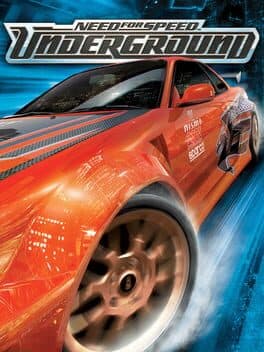
Need for Speed: Underground 2, released in 2004, is a standout title in the racing genre that has left a lasting impact on fans of the series. Set in the fictional city of Bayview, players continue their street racing journey, building a reputation, customizing cars, and navigating a vibrant environment. The game is notable for its extensive car customization options and the introduction of open-world gameplay, which allows players to explore and engage in races at their own pace.
When it comes to PC performance, Need for Speed: Underground 2 is relatively accessible, running well on a wide range of hardware. To achieve a smooth gaming experience with respectable FPS, a mid-tier GPU like the NVIDIA GeForce GTX 660 or AMD Radeon HD 7850 would suffice, allowing players to enjoy decent graphics settings without significant performance dips. Even older systems can handle this title, making it a great benchmark for those looking to optimize performance on legacy hardware.
If you're a fan of racing games, Need for Speed: Underground 2 is definitely worth playing, especially given its solid rating of 83/100. The mix of thrilling street races and deep car customization makes it an engaging experience for both casual gamers and dedicated fans of the genre. Dive into the world of Bayview and see if you have what it takes to become the ultimate street racer.
Performance profile
Released in November 2004, Need for Speed: Underground 2 comes from the DirectX 9 era. Even the cheapest modern discrete GPU crushes it at maxed-out settings; the only real bottleneck today is CPU single-thread speed on older titles that were never multi-threaded.
Racing games like Need for Speed: Underground 2 are latency-critical — input-to-screen responsiveness is everything. Target a locked 60 FPS minimum (ideally 120 FPS on a high-refresh display) with VSync off or G-Sync/FreeSync active.
Storyline
Shortly after becoming the top racer in Olympic City, the player is ambushed and their car is destroyed by an unknown assailant. Six months later, they relocate to the city of Bayview to start over, guided by a contact named Rachel Teller who introduces them to the local racing scene. As the player earns sponsorships and builds a reputation, they draw the attention of Caleb Reece, the leader of a crew called The Wraiths who is attempting to control Bayview's racing scene by manipulating sponsorship deals. Rachel reveals that Caleb is the same person responsible for the attack in Olympic City. After turning one of Caleb's crew members to their side and surviving multiple attempts to sabotage their career through rigged tournaments, the player challenges Caleb directly, defeats him, and claims the title of Bayview's best underground racer.