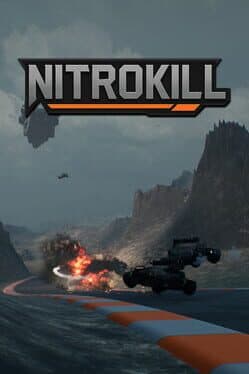
Nitrokill
Can your GPU run this game?
Estimated FPS across quality settings and resolutions
Search for your GPU above to see a full FPS breakdown at every quality and resolution.
Nitrokill FPS by GPU
Estimated framerates for 14 reference GPUs · pick a resolution and quality
Full benchmark grid · 14 GPUs × 4 qualities × 3 resolutions
1080p performance
| GPU | low | medium | high | ultra |
|---|---|---|---|---|
| RTX 5090 | 605 fps | 484 fps | 387 fps | 315 fps |
| RTX 4090 | 562 fps | 450 fps | 360 fps | 292 fps |
| RX 7900 XTX | 505 fps | 404 fps | 323 fps | 262 fps |
| RTX 5080 | 476 fps | 381 fps | 304 fps | 247 fps |
| RTX 4080 Super | 447 fps | 357 fps | 286 fps | 232 fps |
| RTX 4070 Ti | 353 fps | 283 fps | 226 fps | 184 fps |
| RTX 4070 | 303 fps | 242 fps | 194 fps | 157 fps |
| RX 7800 XT | 267 fps | 213 fps | 171 fps | 139 fps |
| RTX 3080 | 259 fps | 208 fps | 166 fps | 135 fps |
| RTX 4060 Ti | 245 fps | 196 fps | 157 fps | 127 fps |
| RTX 3070 | 223 fps | 179 fps | 143 fps | 116 fps |
| RTX 4060 | 202 fps | 161 fps | 129 fps | 105 fps |
| RTX 3060 | 173 fps | 138 fps | 111 fps | 90 fps |
| GTX 1660 Super | 125 fps | 100 fps | 80 fps | 65 fps |
1440p performance
| GPU | low | medium | high | ultra |
|---|---|---|---|---|
| RTX 5090 | 454 fps | 363 fps | 291 fps | 236 fps |
| RTX 4090 | 422 fps | 337 fps | 270 fps | 219 fps |
| RX 7900 XTX | 378 fps | 303 fps | 242 fps | 197 fps |
| RTX 5080 | 357 fps | 285 fps | 228 fps | 186 fps |
| RTX 4080 Super | 335 fps | 268 fps | 214 fps | 174 fps |
| RTX 4070 Ti | 265 fps | 212 fps | 170 fps | 138 fps |
| RTX 4070 | 227 fps | 182 fps | 145 fps | 118 fps |
| RX 7800 XT | 200 fps | 160 fps | 128 fps | 104 fps |
| RTX 3080 | 195 fps | 156 fps | 125 fps | 101 fps |
| RTX 4060 Ti | 184 fps | 147 fps | 118 fps | 96 fps |
| RTX 3070 | 168 fps | 134 fps | 107 fps | 87 fps |
| RTX 4060 | 151 fps | 121 fps | 97 fps | 79 fps |
| RTX 3060 | 130 fps | 104 fps | 83 fps | 67 fps |
| GTX 1660 Super | 94 fps | 75 fps | 60 fps | 49 fps |
4K performance
| GPU | low | medium | high | ultra |
|---|---|---|---|---|
| RTX 5090 | 242 fps | 194 fps | 155 fps | 126 fps |
| RTX 4090 | 225 fps | 180 fps | 144 fps | 117 fps |
| RX 7900 XTX | 202 fps | 161 fps | 129 fps | 105 fps |
| RTX 5080 | 190 fps | 152 fps | 122 fps | 99 fps |
| RTX 4080 Super | 179 fps | 143 fps | 114 fps | 93 fps |
| RTX 4070 Ti | 141 fps | 113 fps | 90 fps | 73 fps |
| RTX 4070 | 121 fps | 97 fps | 77 fps | 63 fps |
| RX 7800 XT | 107 fps | 85 fps | 68 fps | 55 fps |
| RTX 3080 | 104 fps | 83 fps | 66 fps | 54 fps |
| RTX 4060 Ti | 98 fps | 78 fps | 63 fps | 51 fps |
| RTX 3070 | 89 fps | 71 fps | 57 fps | 46 fps |
| RTX 4060 | 81 fps | 65 fps | 52 fps | 42 fps |
| RTX 3060 | 69 fps | 55 fps | 44 fps | 36 fps |
| GTX 1660 Super | 50 fps | 40 fps | 32 fps | 26 fps |
Where to buy
Nitrokill
affiliate
Minimum Hardware
* Amazon links are affiliate links. We may earn a commission at no extra cost to you.
Genres
About
To enjoy the fast-paced action of this hovercar racing game, a mid-range GPU like the RTX 4060 or RX 7600 is recommended. These graphics cards should provide a smooth experience at 1080p on high settings, ensuring vibrant visuals and fluid gameplay during intense races. While the minimum requirement may allow for decent performance, targeting a more capable GPU will enhance the overall experience, especially in the multiplayer mode with up to 8 players.
For those with entry-level hardware, you may need to lower the resolution to 720p and adjust settings to medium or low for a playable frame rate. Conversely, high-end GPUs can push settings to ultra at 1440p, providing a stunning visual experience. Overall, this game strikes a balance between accessibility and performance, making it a good pick for both casual gamers and those seeking a thrilling racing experience. It's recommended to invest in a capable GPU to fully appreciate the high-speed action and multiplayer features.
Performance profile
Racing games like Nitrokill are latency-critical — input-to-screen responsiveness is everything. Target a locked 60 FPS minimum (ideally 120 FPS on a high-refresh display) with VSync off or G-Sync/FreeSync active.
High-end requirement. Nitrokill needs an RTX 4070 Ti or RX 7800 XT for comfortable 1440p 60 FPS at High settings. 4K Ultra 60 FPS is flagship territory — RTX 4080 Super / RX 7900 XTX minimum without upscaling.