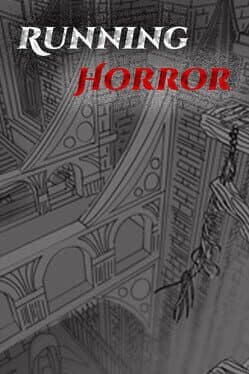
Running Horror
Can your GPU run this game?
Estimated FPS across quality settings and resolutions
Search for your GPU above to see a full FPS breakdown at every quality and resolution.
Running Horror FPS by GPU
Estimated framerates for 14 reference GPUs · pick a resolution and quality
Full benchmark grid · 14 GPUs × 4 qualities × 3 resolutions
1080p performance
| GPU | low | medium | high | ultra |
|---|---|---|---|---|
| RTX 5090 | 99 fps | 79 fps | 63 fps | 51 fps |
| RTX 4090 | 92 fps | 73 fps | 59 fps | 48 fps |
| RX 7900 XTX | 82 fps | 66 fps | 53 fps | 43 fps |
| RTX 5080 | 78 fps | 62 fps | 50 fps | 40 fps |
| RTX 4080 Super | 73 fps | 58 fps | 47 fps | 38 fps |
| RTX 4070 Ti | 58 fps | 46 fps | 37 fps | 30 fps |
| RTX 4070 | 49 fps | 39 fps | 32 fps | 26 fps |
| RX 7800 XT | 43 fps | 35 fps | 28 fps | 23 fps |
| RTX 3080 | 42 fps | 34 fps | 27 fps | 22 fps |
| RTX 4060 Ti | 40 fps | 32 fps | 26 fps | 21 fps |
| RTX 3070 | 36 fps | 29 fps | 23 fps | 19 fps |
| RTX 4060 | 33 fps | 26 fps | 21 fps | 17 fps |
| RTX 3060 | 28 fps | 23 fps | 18 fps | 15 fps |
| GTX 1660 Super | 20 fps | 16 fps | 13 fps | 11 fps |
1440p performance
| GPU | low | medium | high | ultra |
|---|---|---|---|---|
| RTX 5090 | 74 fps | 59 fps | 47 fps | 38 fps |
| RTX 4090 | 69 fps | 55 fps | 44 fps | 36 fps |
| RX 7900 XTX | 62 fps | 49 fps | 39 fps | 32 fps |
| RTX 5080 | 58 fps | 47 fps | 37 fps | 30 fps |
| RTX 4080 Super | 55 fps | 44 fps | 35 fps | 28 fps |
| RTX 4070 Ti | 43 fps | 35 fps | 28 fps | 22 fps |
| RTX 4070 | 37 fps | 30 fps | 24 fps | 19 fps |
| RX 7800 XT | 33 fps | 26 fps | 21 fps | 17 fps |
| RTX 3080 | 32 fps | 25 fps | 20 fps | 16 fps |
| RTX 4060 Ti | 30 fps | 24 fps | 19 fps | 16 fps |
| RTX 3070 | 27 fps | 22 fps | 17 fps | 14 fps |
| RTX 4060 | 25 fps | 20 fps | 16 fps | 13 fps |
| RTX 3060 | 21 fps | 17 fps | 14 fps | 11 fps |
| GTX 1660 Super | 15 fps | 12 fps | 10 fps | 8 fps |
4K performance
| GPU | low | medium | high | ultra |
|---|---|---|---|---|
| RTX 5090 | 39 fps | 32 fps | 25 fps | 21 fps |
| RTX 4090 | 37 fps | 29 fps | 23 fps | 19 fps |
| RX 7900 XTX | 33 fps | 26 fps | 21 fps | 17 fps |
| RTX 5080 | 31 fps | 25 fps | 20 fps | 16 fps |
| RTX 4080 Super | 29 fps | 23 fps | 19 fps | 15 fps |
| RTX 4070 Ti | 23 fps | 18 fps | 15 fps | 12 fps |
| RTX 4070 | 20 fps | 16 fps | 13 fps | 10 fps |
| RX 7800 XT | 17 fps | 14 fps | 11 fps | 9 fps |
| RTX 3080 | 17 fps | 14 fps | 11 fps | 9 fps |
| RTX 4060 Ti | 16 fps | 13 fps | 10 fps | 8 fps |
| RTX 3070 | 15 fps | 12 fps | 9 fps | 8 fps |
| RTX 4060 | 13 fps | 11 fps | 8 fps | 7 fps |
| RTX 3060 | 11 fps | 9 fps | 7 fps | 6 fps |
| GTX 1660 Super | 8 fps | 7 fps | 5 fps | 4 fps |
Where to buy
Running Horror
affiliate
Minimum Hardware
* Amazon links are affiliate links. We may earn a commission at no extra cost to you.
Genres
About
To run this first-person horror game smoothly, a high-end graphics card like the RTX 4070 Ti or RX 7800 XT is recommended. With these GPUs, players can expect a solid experience at 1440p with high settings, delivering both impressive visuals and stable frame rates. For those with slightly lower-tier hardware, targeting 1080p with medium settings should still provide an enjoyable experience, though some graphical fidelity may be sacrificed.
The game is designed with detailed environments and dynamic lighting, which places it on the demanding side, especially for players aiming for high resolutions and max settings. If you're looking for a truly immersive experience, investing in a robust GPU is crucial. Overall, to fully appreciate the atmospheric design and intense gameplay, a high-end card is the best path forward, ensuring you can evade the Beast and explore the labyrinth without technical hiccups.
Performance profile
January 2026 release. As a current-generation title, Running Horror pushes modern hardware — expect to need an RTX 40-series or RX 7000-series GPU to enjoy it at native 4K Ultra without leaning on upscaling.
Action titles like Running Horror reward high framerates for visual clarity during combat. A mid-range modern GPU at 1440p 60–120 FPS is the practical sweet spot; VRR (G-Sync/FreeSync) smooths out drops during heavy effects.
High-end requirement. Running Horror needs an RTX 4070 Ti or RX 7800 XT for comfortable 1440p 60 FPS at High settings. 4K Ultra 60 FPS is flagship territory — RTX 4080 Super / RX 7900 XTX minimum without upscaling.